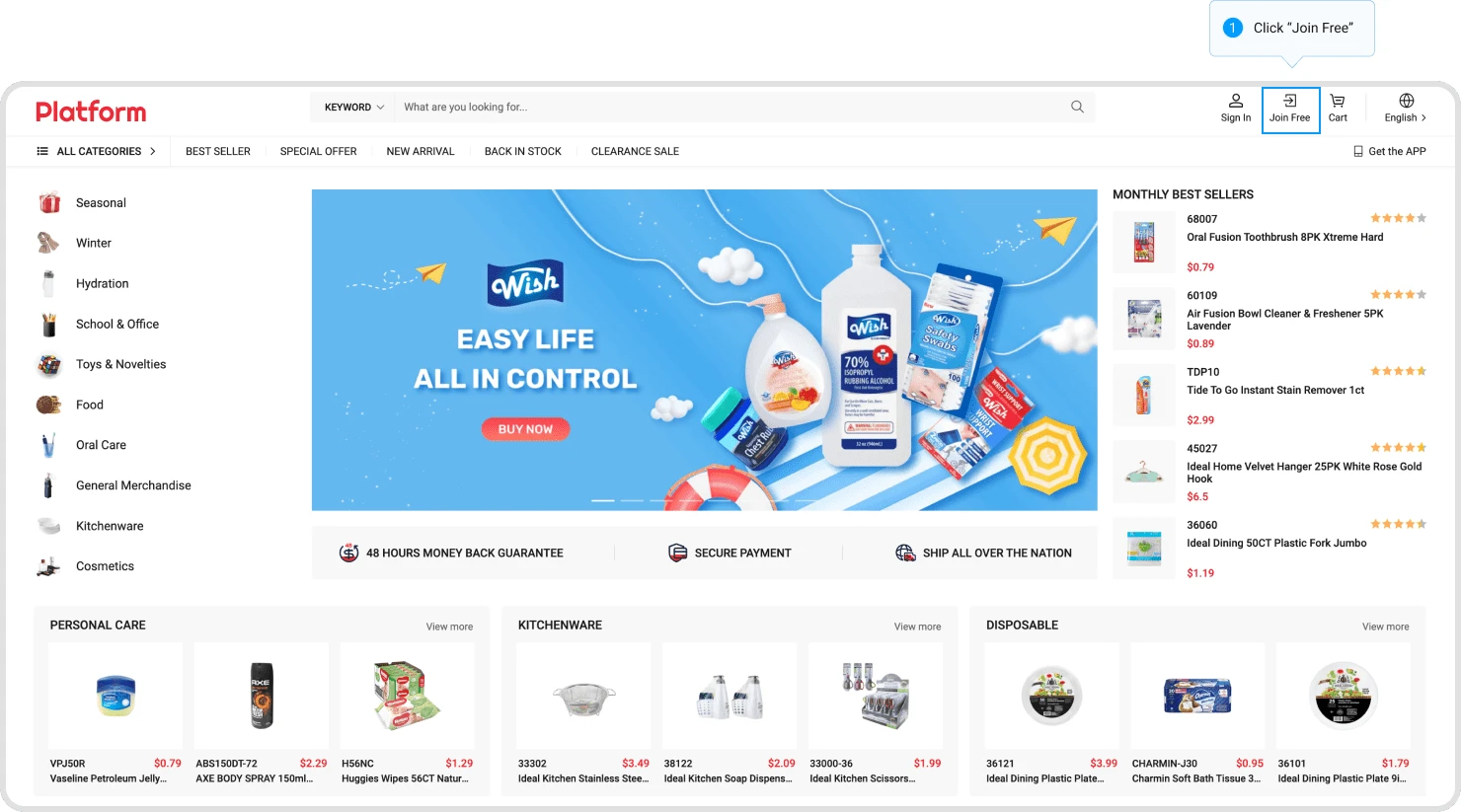
Step 1: Click "JOIN FREE" on the homepage.
Step 2: Submit Form.
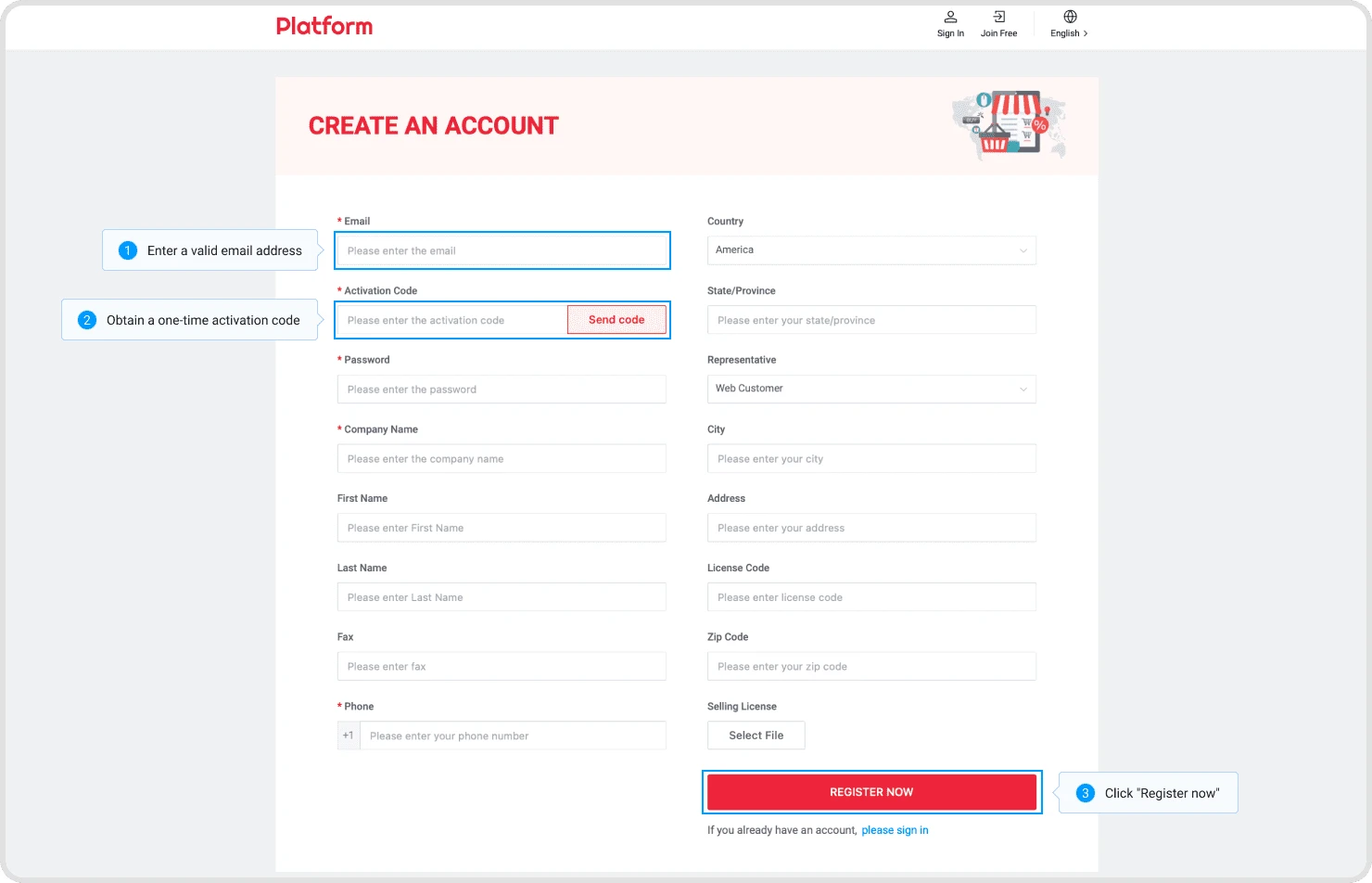
Fill in your details in the registration form(fields with an * are required), provide a valid email address. Once you receive the one-time verification code, enter it into the "Activation Code" field and finally submit the form.
Step 1: Add product to “Cart”.
From the pop-up on the homepage or other product listing pages, select the desired quantity and add to the shopping cart.
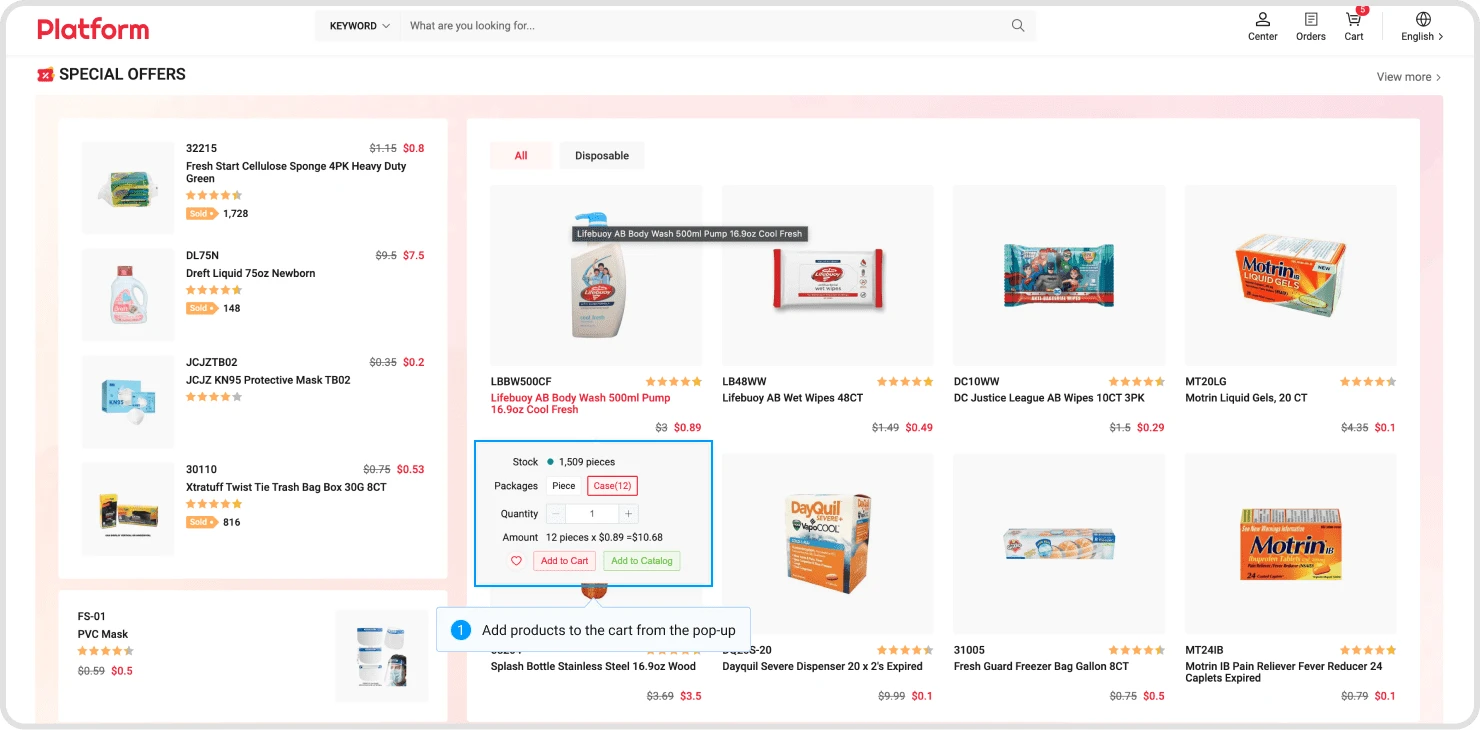
Or click on the list item and proceed in the pop-up window.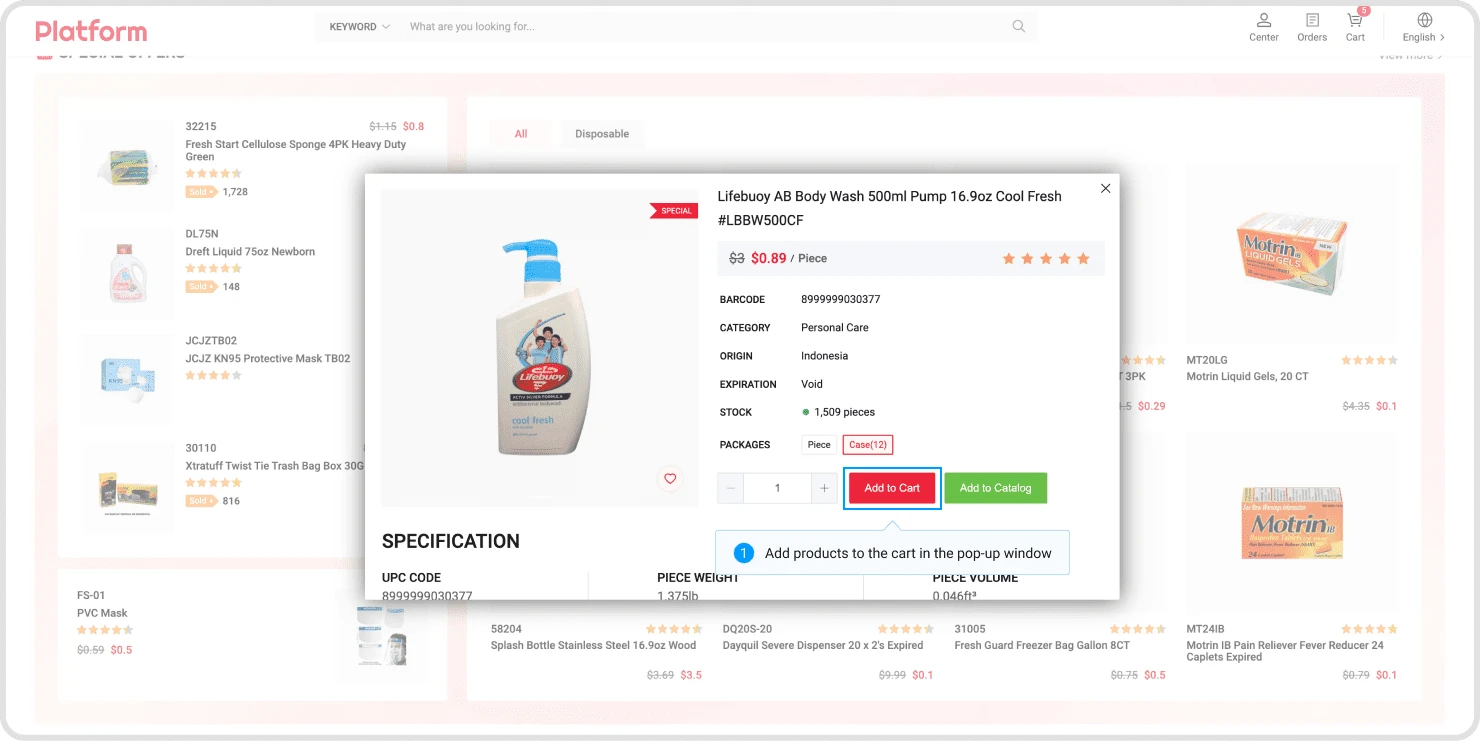
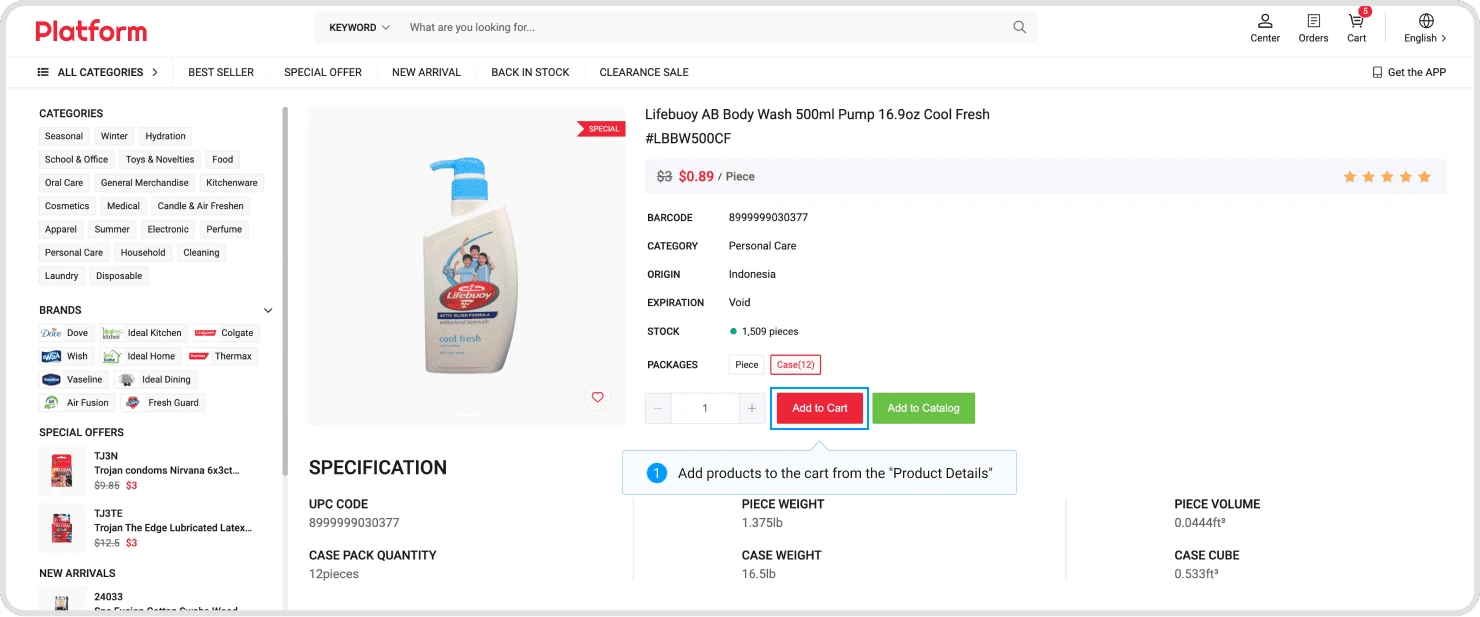
Or proceed from the product details page.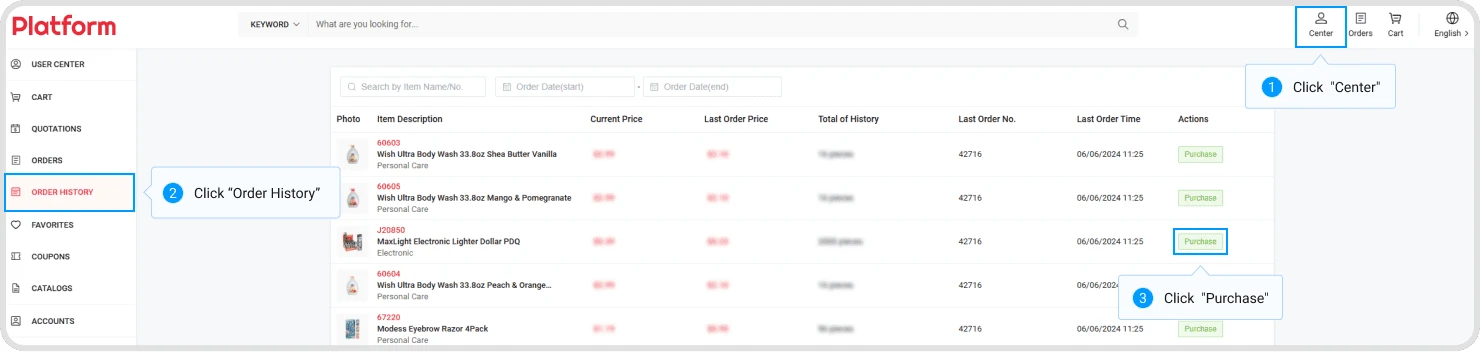
Click on "Center," then in the left navigation, click on "Order History." Click the "Purchase" button in the list, then proceed in the pop-up layer.
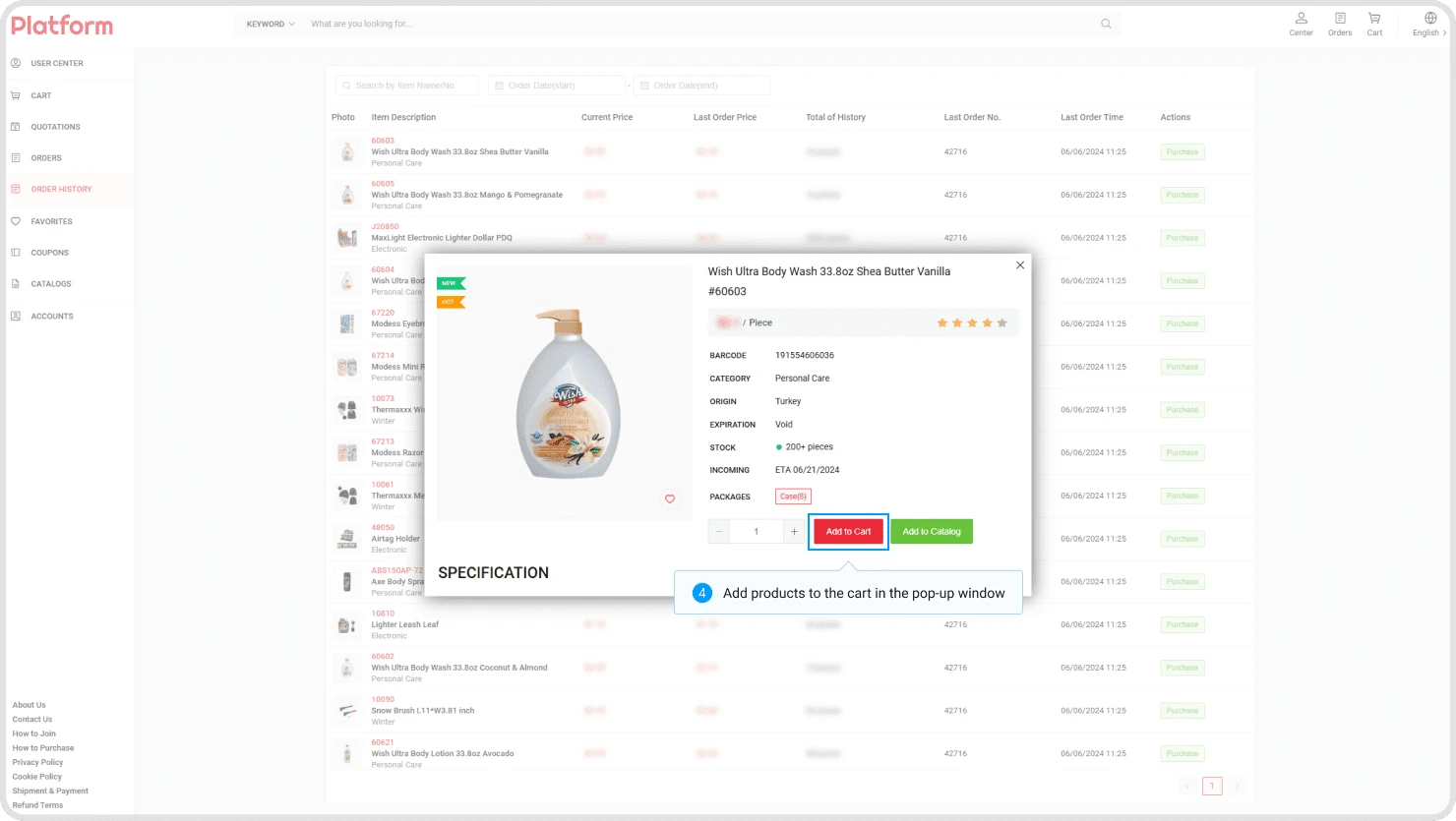
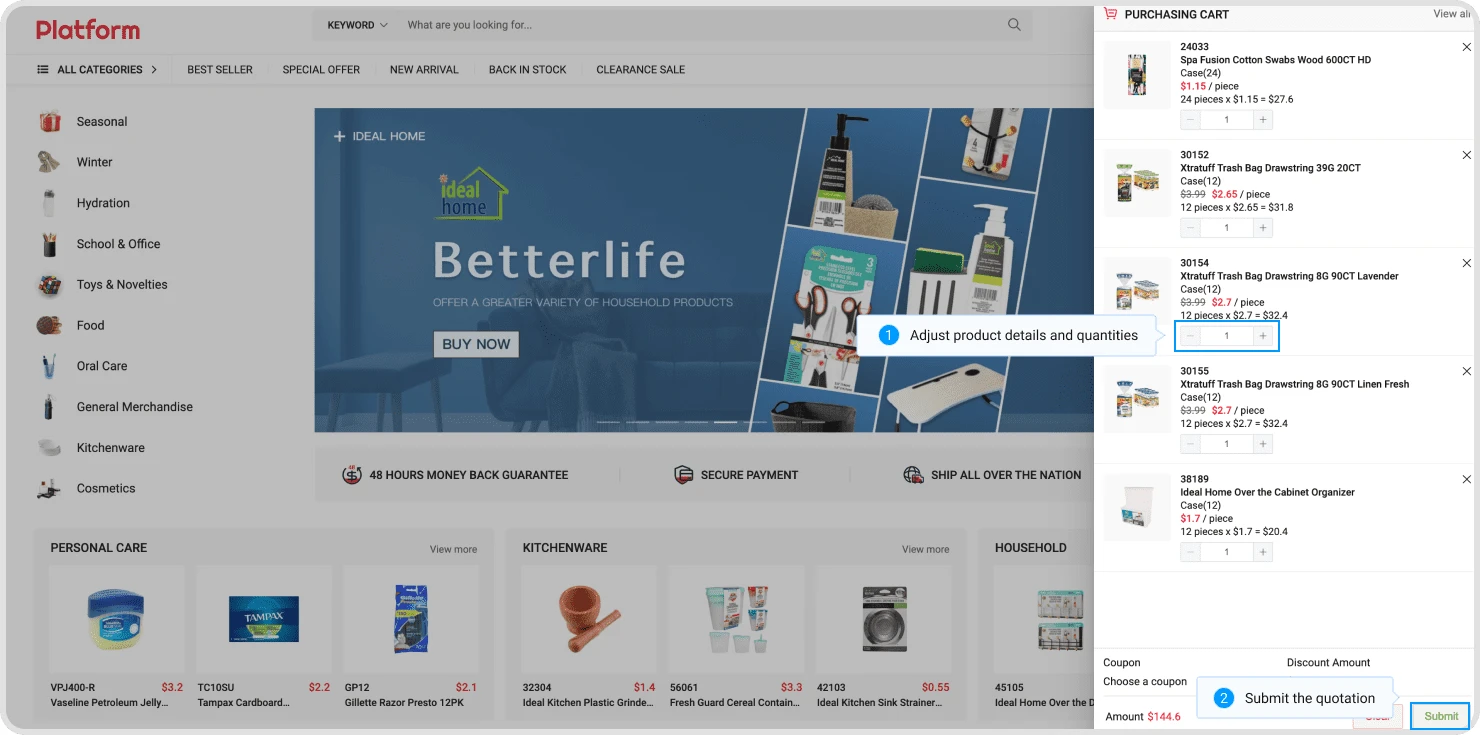
Step 2: Submit the quotation
Click on the "Cart" icon, adjust the desired products and quantities in the sidebar, then submit a quotation.
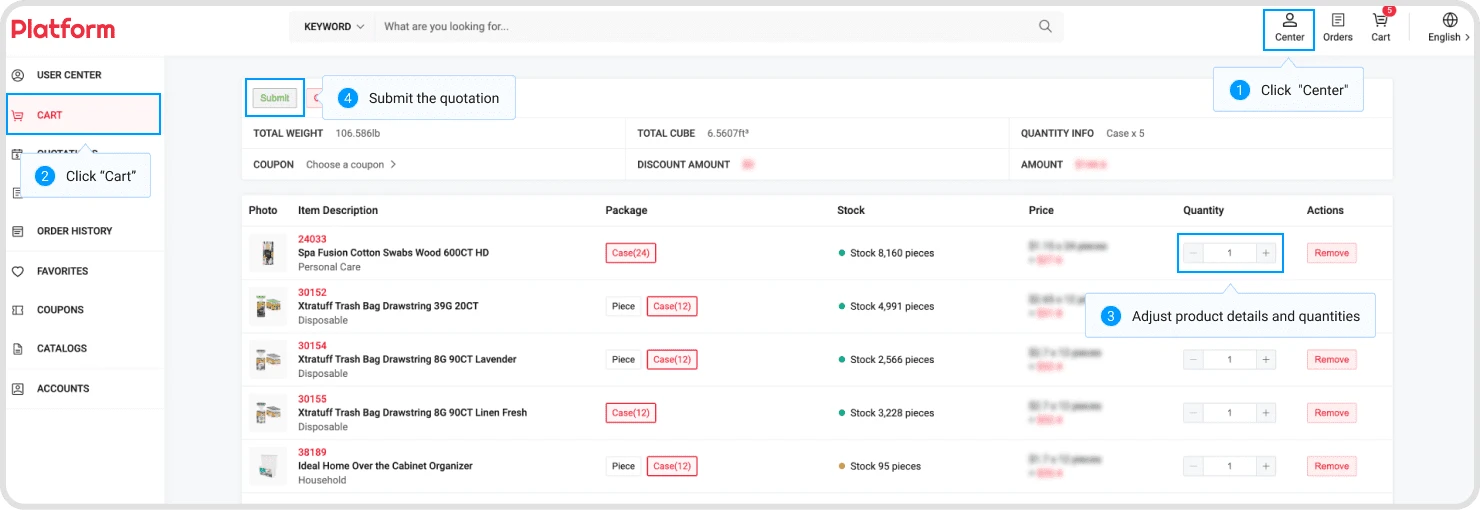
Or proceed in the "Cart" section of “Center".
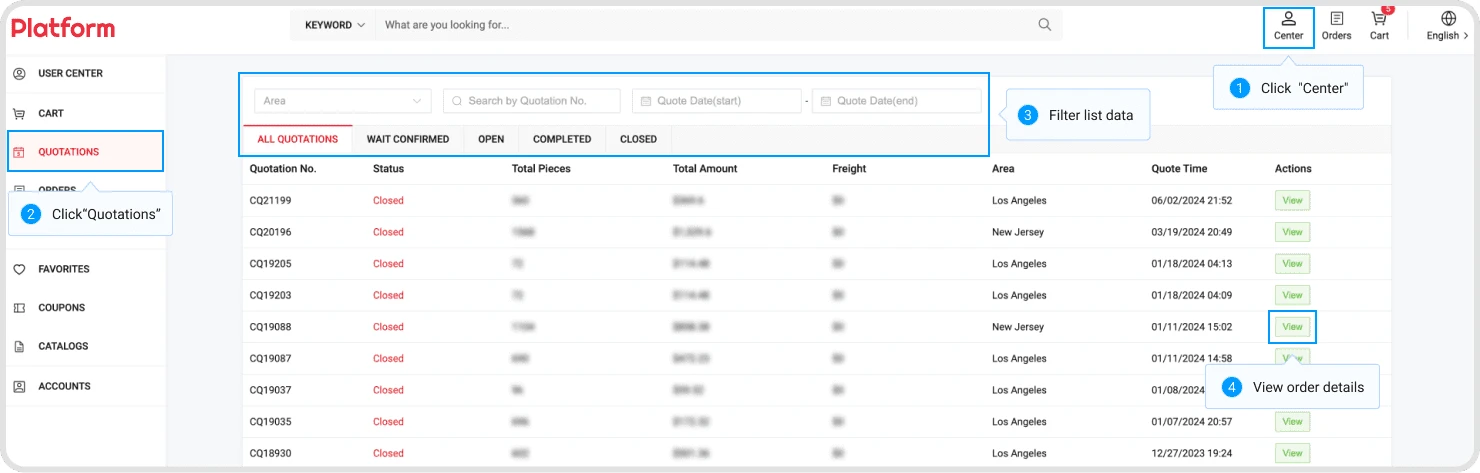
Click on "Center" at the top right corner of the page, then click on "Quotations" in the left navigation. Filter the list of quotations using the conditions provided above the list. Navigate to the quotation details by clicking the view button in the list.
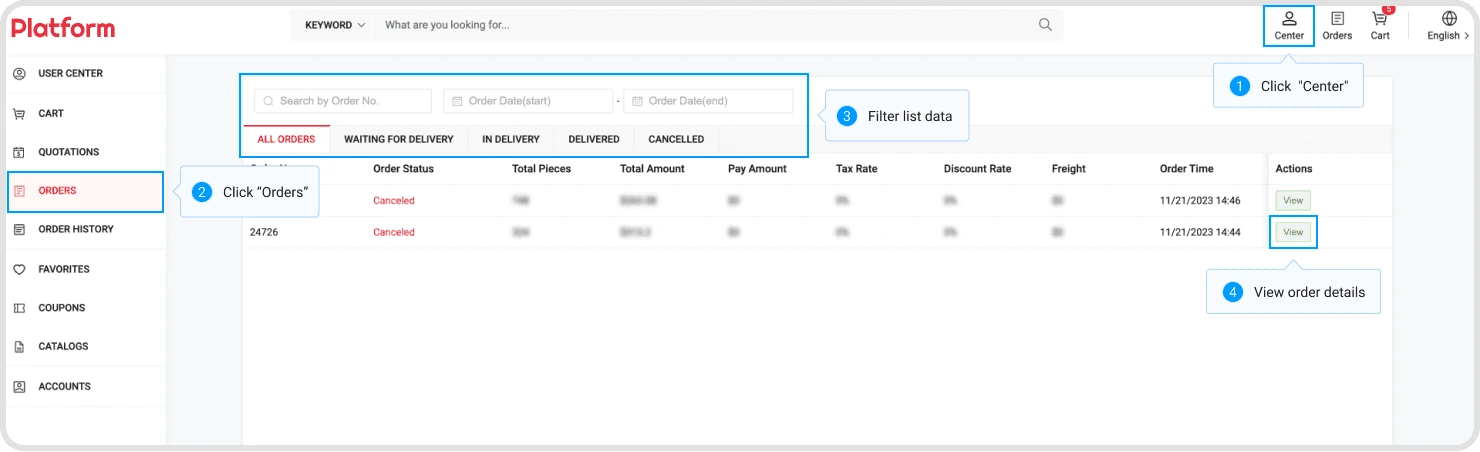
Click on "Center" at the top right corner of the page, then click on "My Orders" in the left navigation. Filter the list of orders using the conditions provided above the list. Navigate to the quotation details by clicking the view button in the list.
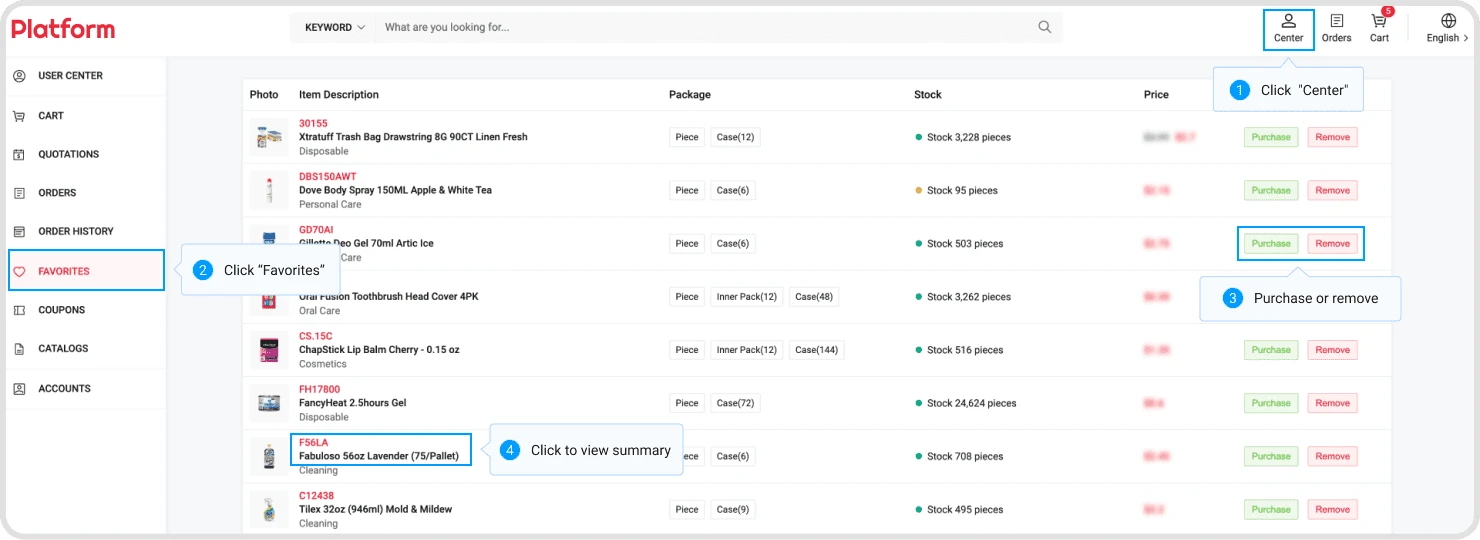
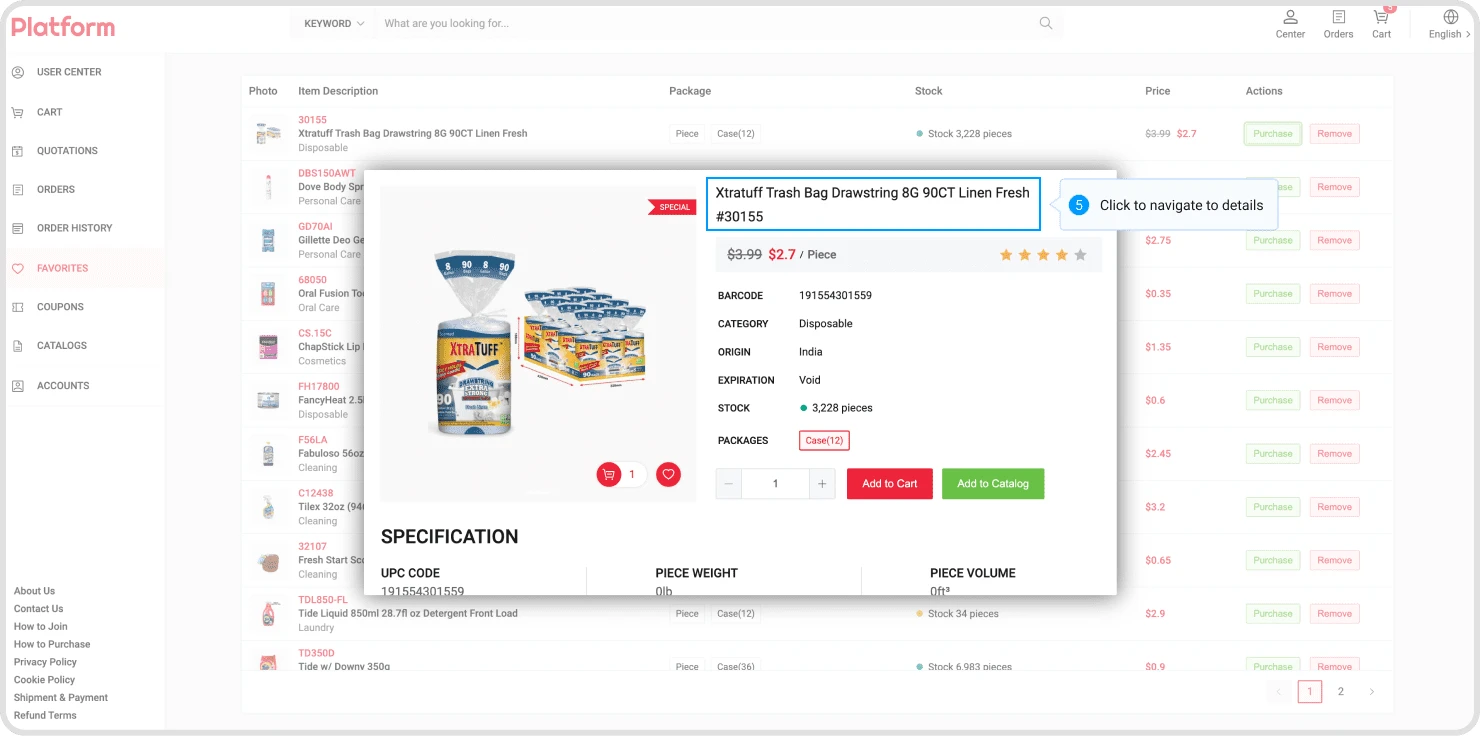
Click on "Center" at the top right corner of the page, then click on "Favorites" in the left navigation. Use the action buttons on the right side of the list items to make a purchase or remove from favorites. Click on the product link to view its summary, and click on the link within the summary pop-up to navigate to the product details.
If you forget your password, you will be unable to log into the platform. You can recover your password using the email address you provided during registration.
Step 1: Navigate to password recovery page.
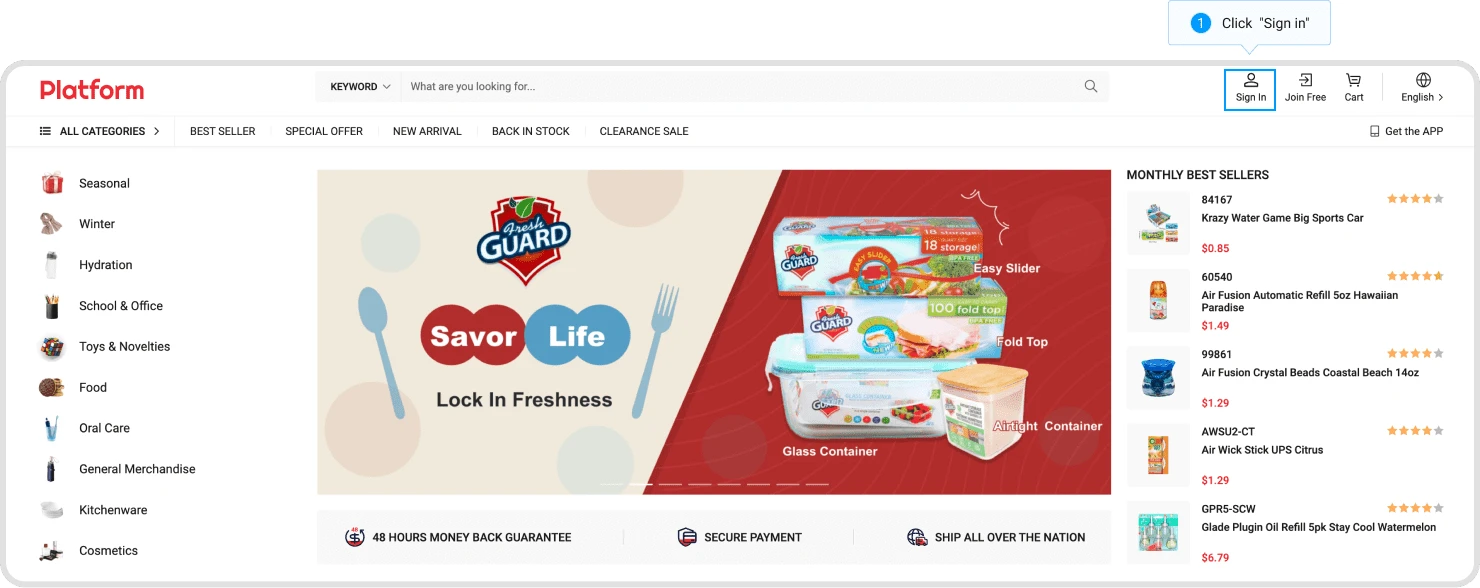
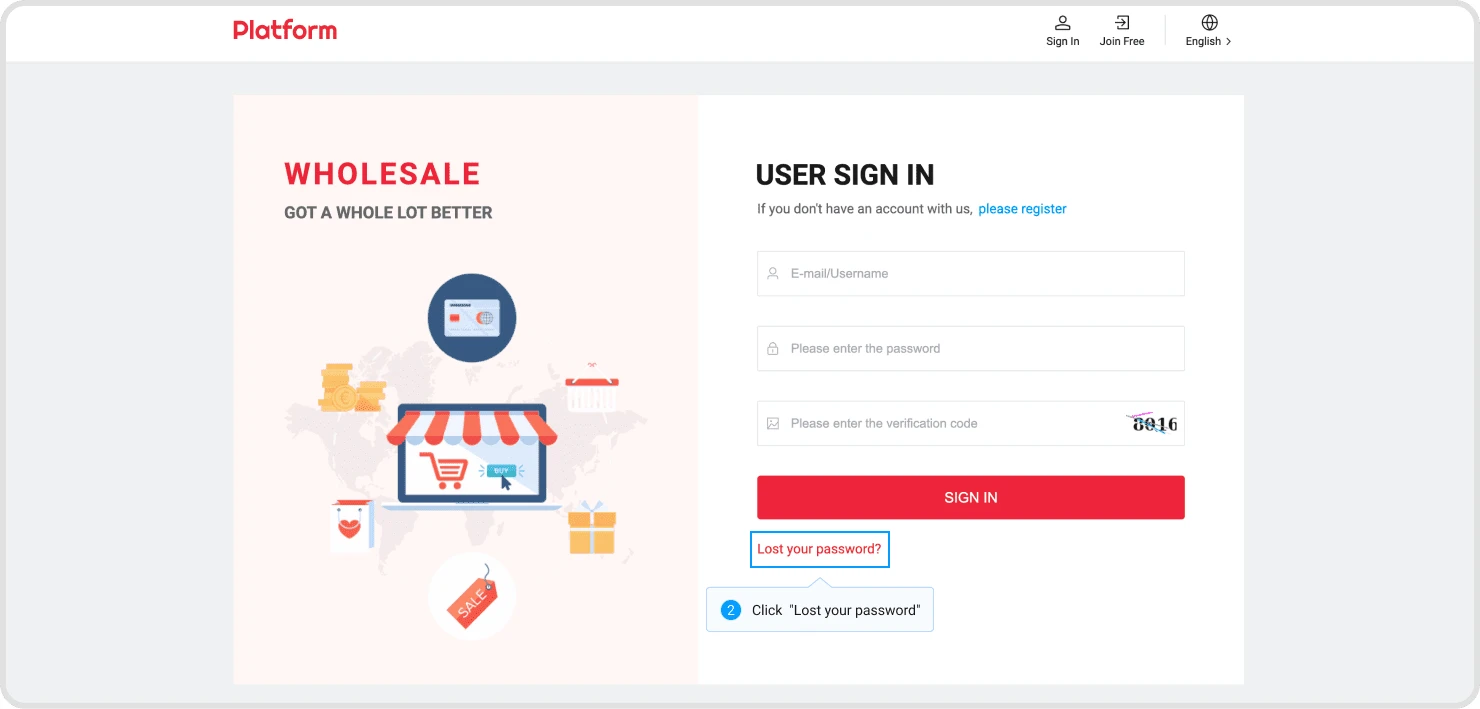
Click on the login button on the homepage to navigate to the login page, then click "Lost your password" to navigate to the password recovery page.
Step 2: Reset your password.
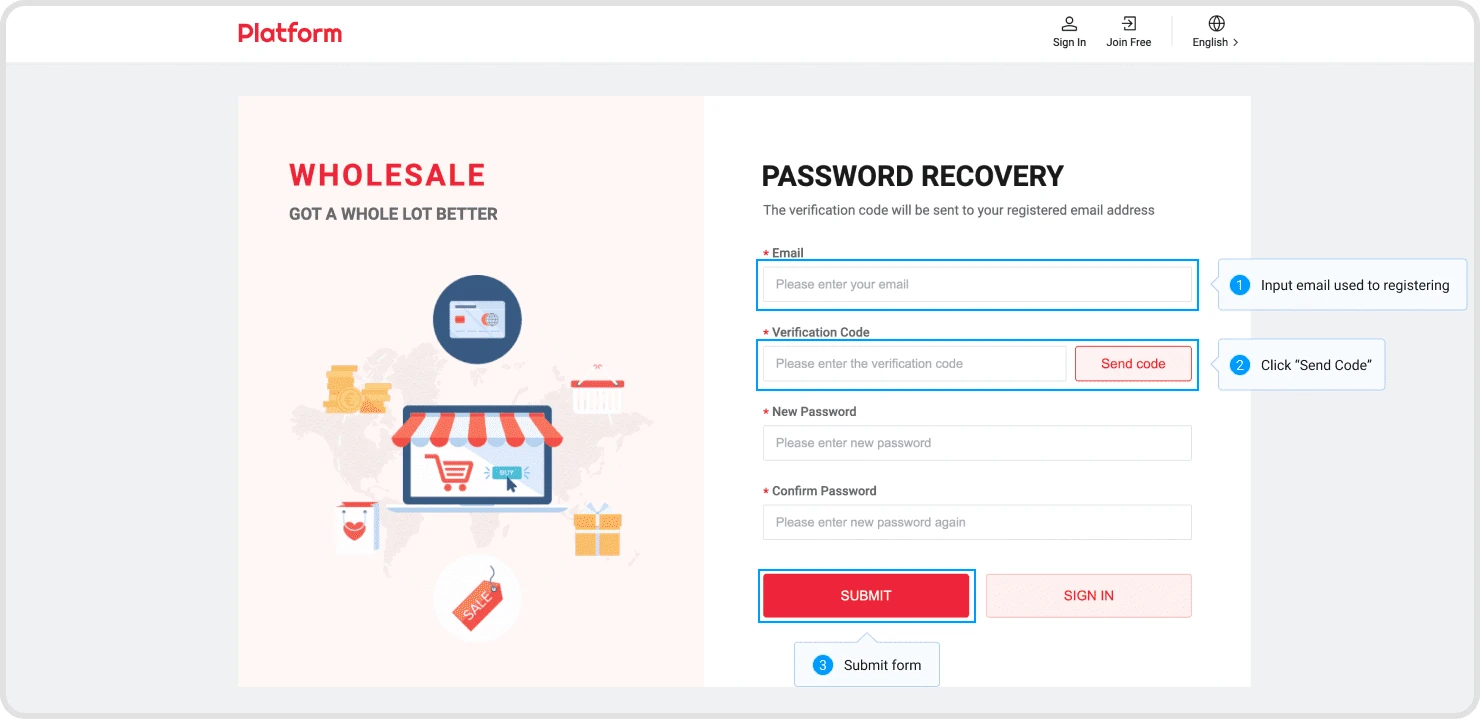
Enter the email address you used during registration and click "Send Code" to send a one-time verification code. Once you receive the code, you can enter a new password and submit the form to complete the password reset.
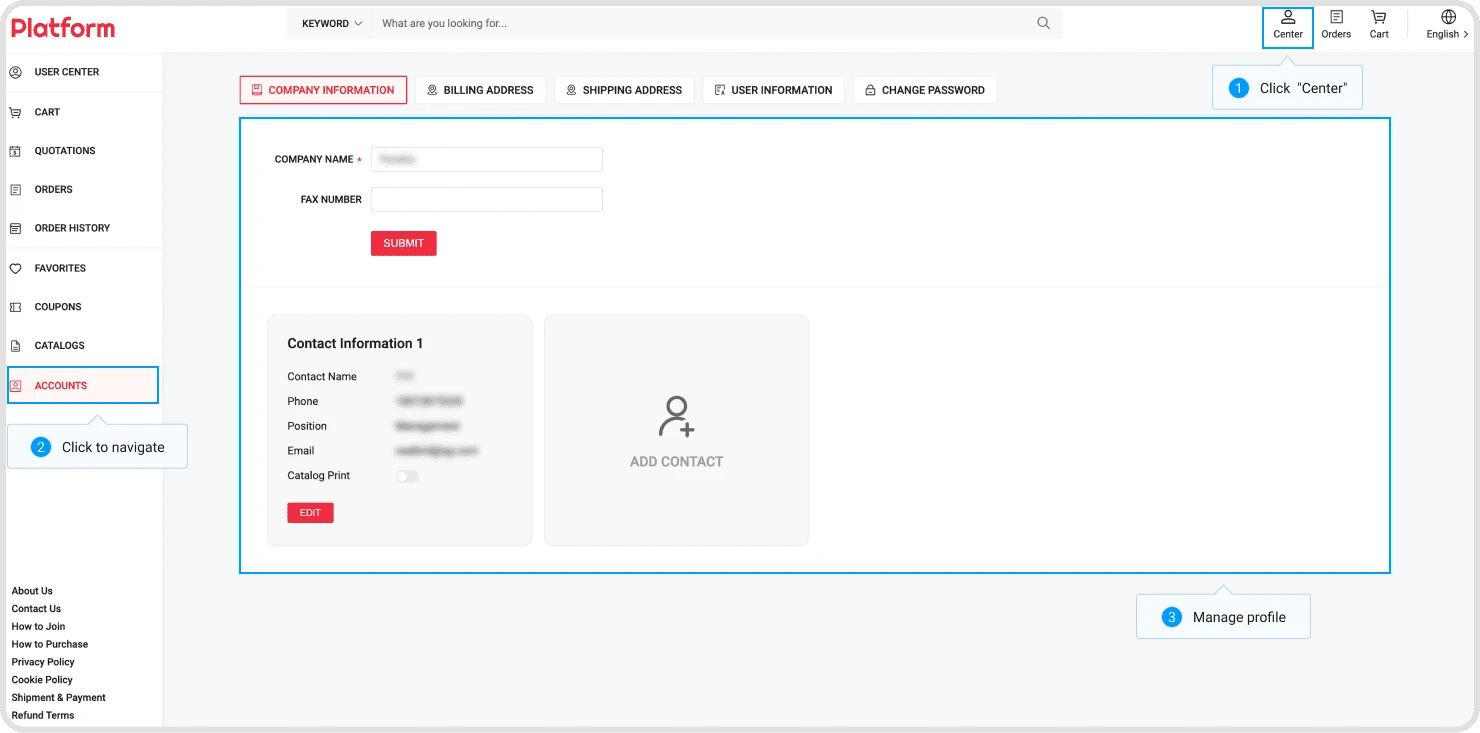
Click on "Center" at the top right corner of the page, then click on the menus like "Company Info", "User Info", "Bill Address" under the "Accounts" section in the left navigation to navigate to the information management interface. Perform information maintenance operations in these interfaces.
Contact Us


Service Policies
Get to know us